Lobby
A short advert, then you play.
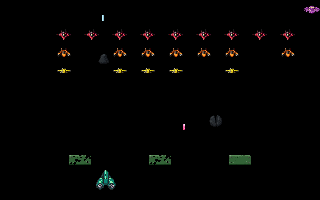
Shoot down the invader formation before it reaches your row. You get five lives, and the formation moves faster as it thins. Some stages end on a boss: destroy it before it reaches your row. Every 1,000 points you bank brings one lost life back, up to twice a run. If the formation or a boss reaches your row the run is over whatever your lives say.
Every invader you shoot pays, and the rows at the back of the formation are worth more than the rows in front. Armoured invaders shrug off the first hit, and a splitter breaks into two small ones that you must shoot as well. A boss takes two hits. The saucer that crosses the top pays a flyby bonus. Halfway through each stage a loot crate crosses below the saucer: shoot it open for ten seconds of a twin shot or a wing ship that fires beside you. A hit on the wing ship ends it, and losing a life ends either. On stages 2 to 10, one invader in each stage is marked: shoot it and it drops a deflector. Fly into the deflector to catch it; it takes the next enemy shot that hits you, and you keep your life. You can hold two. Clearing a stage pays a precision bonus measured on hits against shots fired, so spraying costs you, and every stage after that is worth more than the last. Shields stand between you and the formation; they erode under fire from either side and do not come back until the sky changes: each new sky brings a new set in a new layout. You can rise a little above the shields to shoot over them and drop back behind them to hide, but never up into the formation. Being hit costs a life, and losing your last one ends the run with what you banked. Restarting or reloading mid-run ends it, and a spent entry does not come back. Leaving the tab pauses you; the controls come back released.